Tasks and Rewards
Chores that get done, without the nagging.
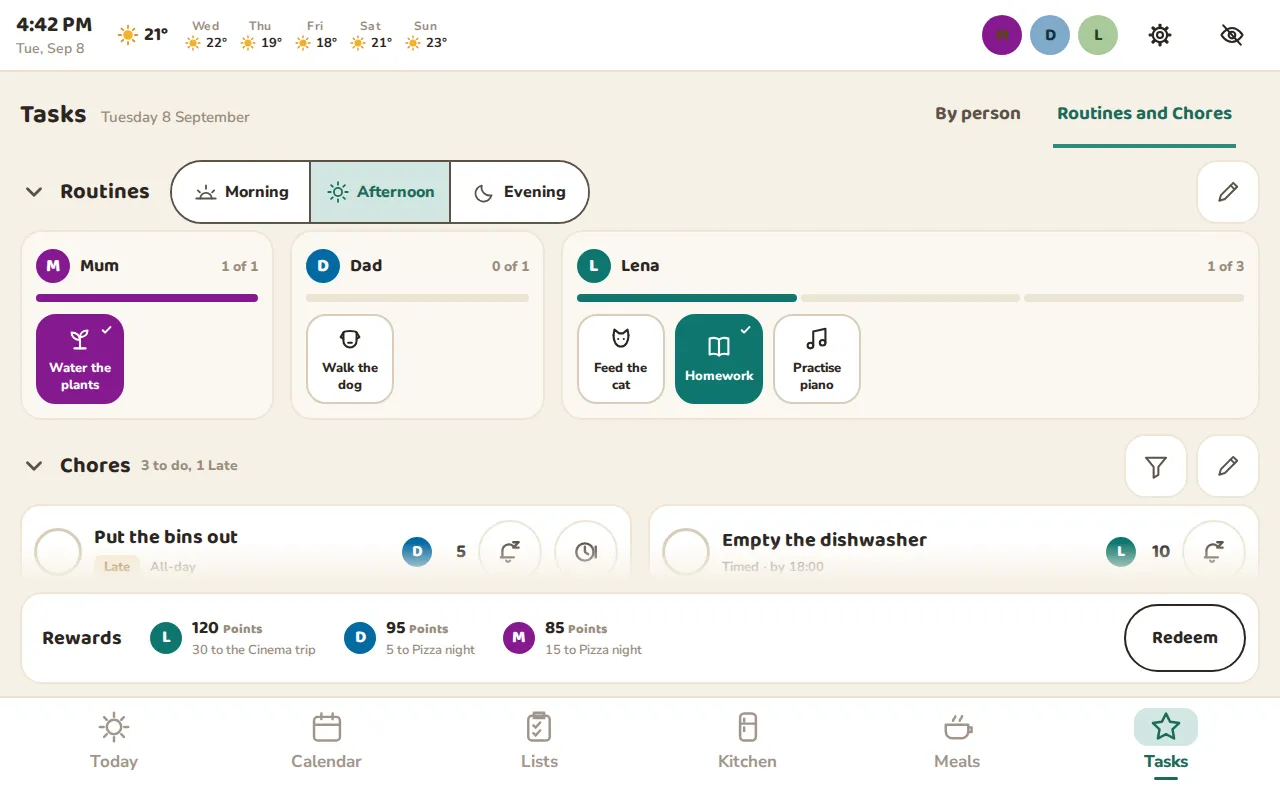
Morning, Afternoon and Evening Routines for each person, Chores that repeat or are due by a time, and Points that turn into Rewards the family chooses together.
For the whole Household
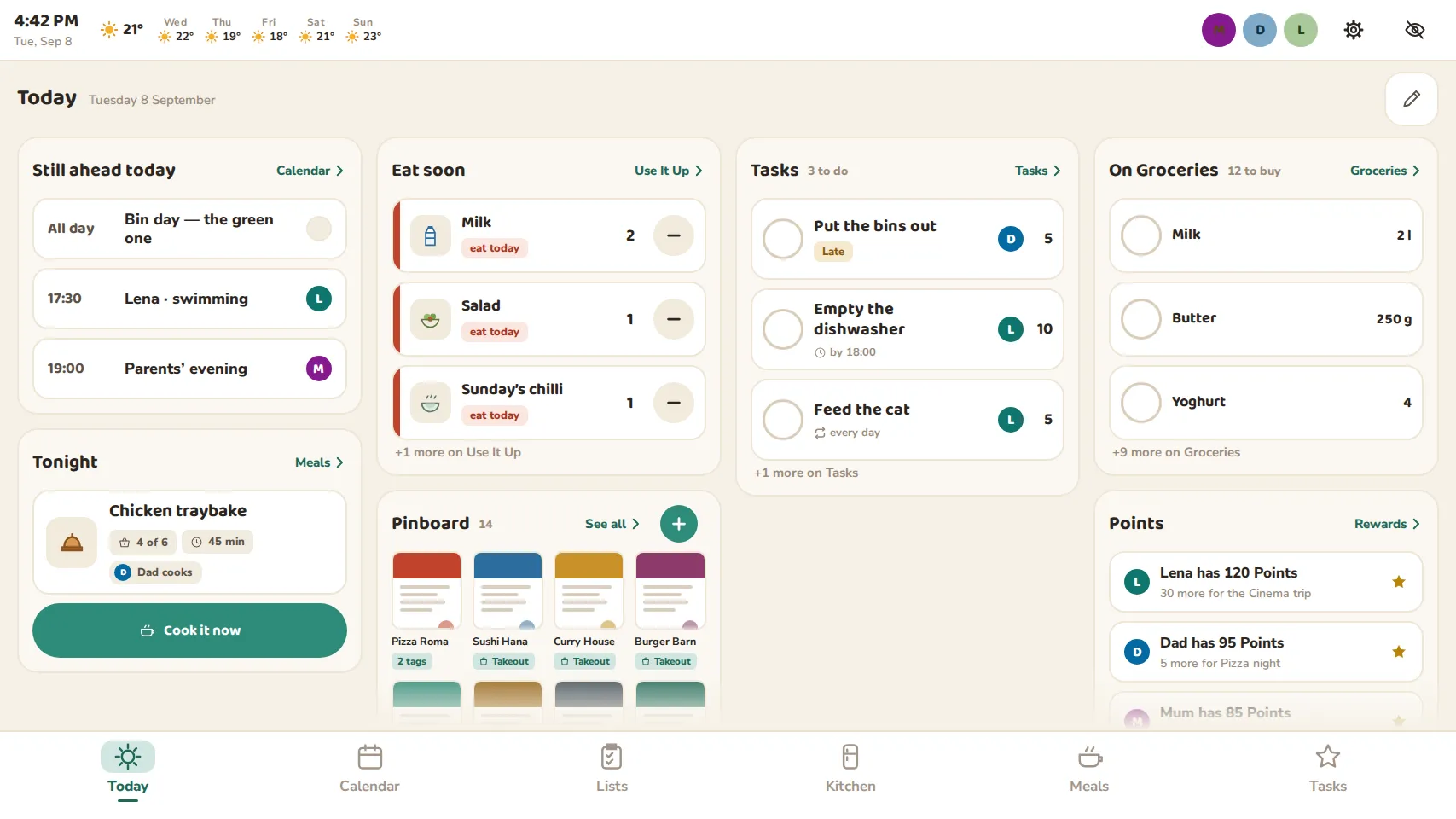
Insatomo puts your family’s Calendar, Chores, Grocery List and Kitchen on one shared screen, and in everyone’s pocket. It runs on a tablet you already own.
Coming soon to Android. iPhone and iPad to follow.
One screen instead of
How it works
Any Android tablet you already have becomes the Household’s shared screen, on the wall, the fridge or the counter. Pair it with a code from your phone.
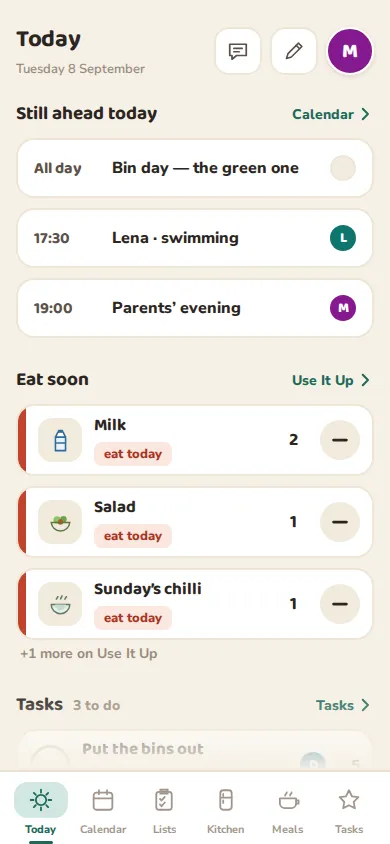
Grown-ups and teenagers use Insatomo on their own phones, so the Grocery List, the Meal Plan and their Chores go wherever they go.
Add a child as a Managed Member: a name, a color and a picture. They tick off their own Chores on the shared screen and watch their Points grow.
Tasks and Rewards
Morning, Afternoon and Evening Routines for each person, Chores that repeat or are due by a time, and Points that turn into Rewards the family chooses together.
Kitchen
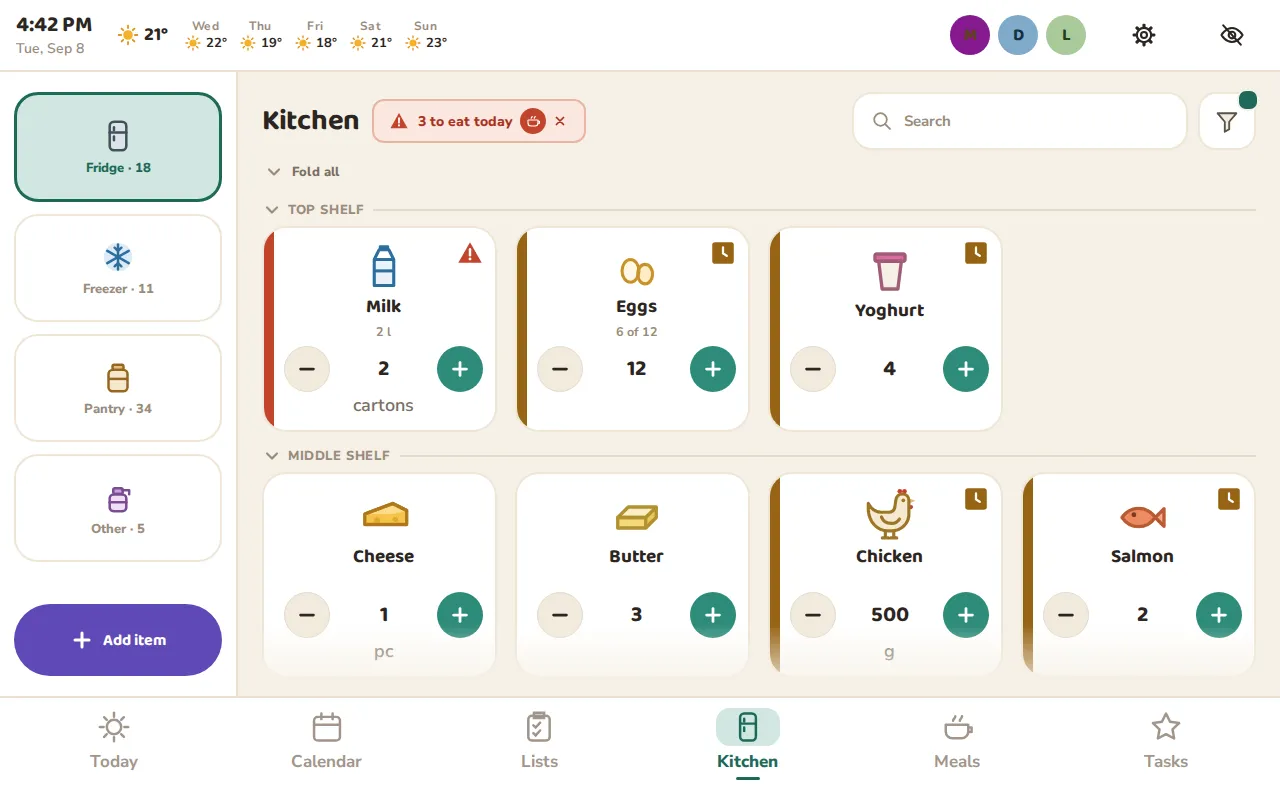
Fridge, freezer and pantry, shelf by shelf. Insatomo tells you what to eat today, suggests what to cook with it, and fills the Kitchen from a photo of your receipt or a scan of a barcode.
Meals and Recipes
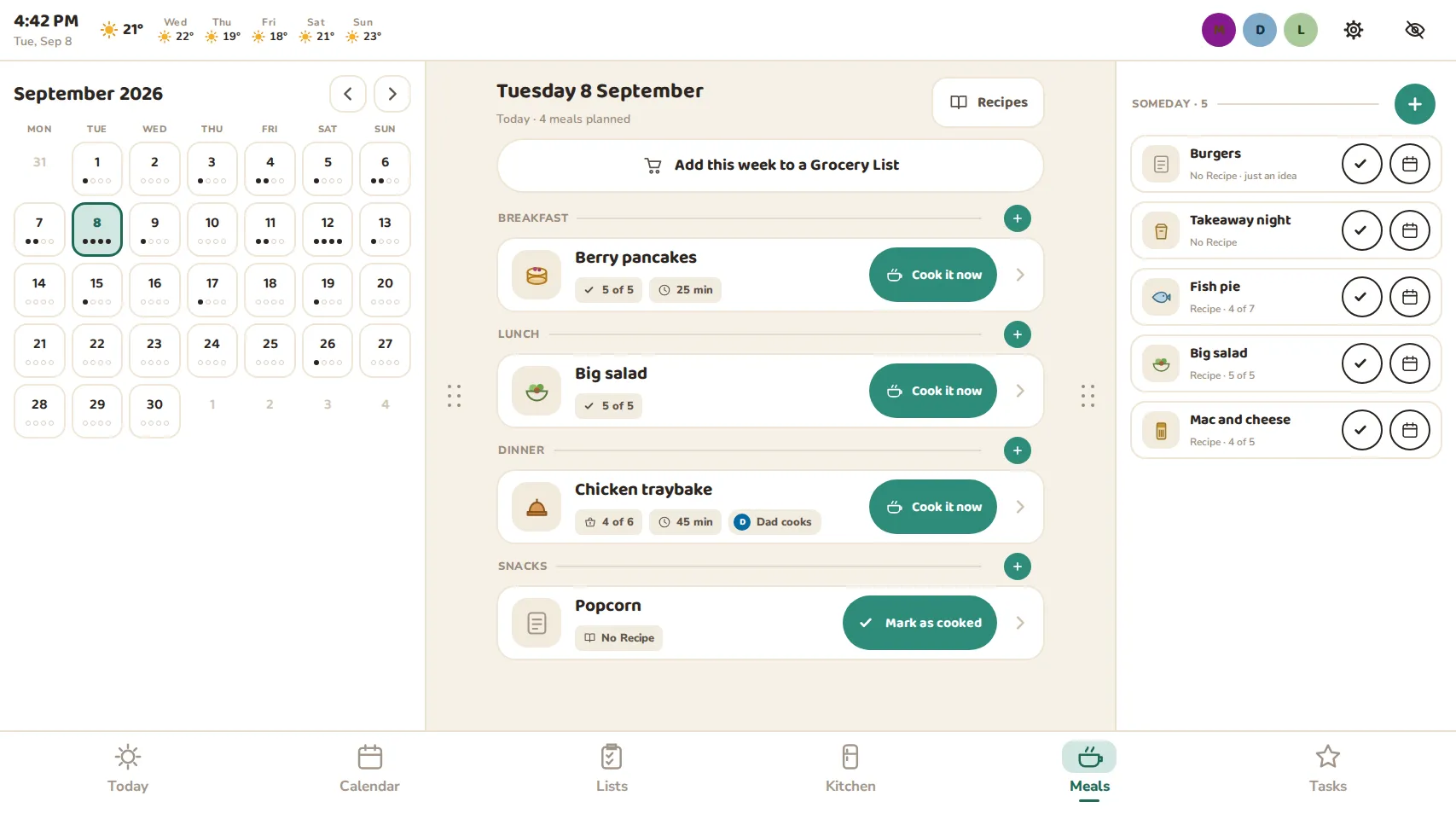
Plan breakfast, lunch and dinner on the Meal Plan, keep ideas for Someday, and add the whole week to a Grocery List in one tap. Recipes come in from a website or a photo of a cookbook page, and Cooking Mode reads out the steps and starts the timers.
In your pocket
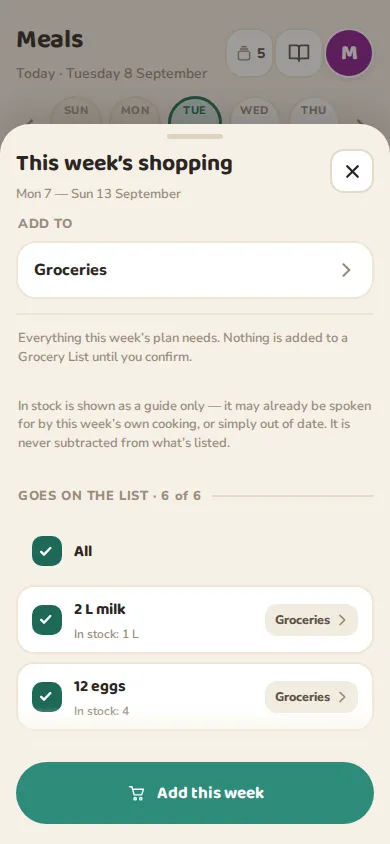
Add from anywhere, sort by store and aisle, cross off in the store. Your Meal Plan adds what it needs.
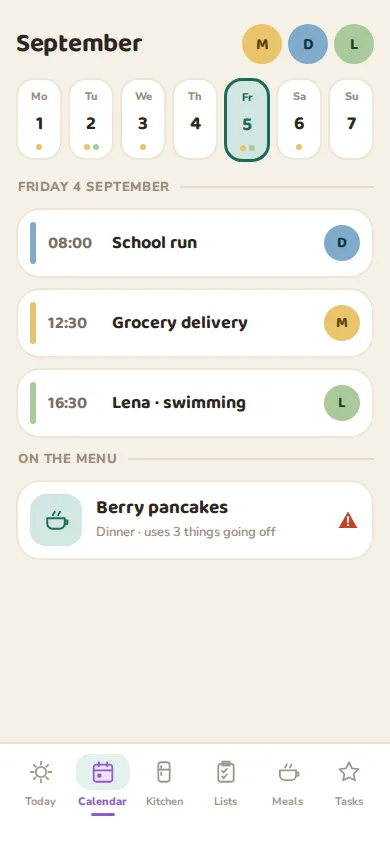
Connect Google Calendar and keep family events beside it, in each person’s color.
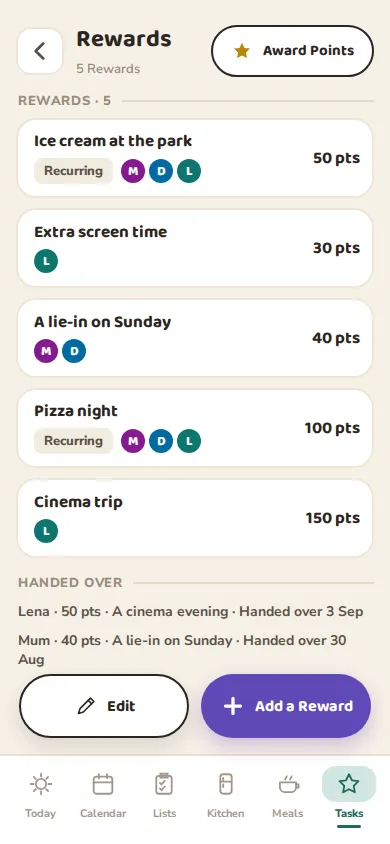
Pizza night, a cinema trip, extra screen time: the family sets the Rewards and their Points.
And the little things
The next five days’ forecast sits at the top of the shared screen, for the Household’s town.
Photograph a school flyer or a takeout menu and pin it where everyone sees it.
Send a note from your phone; it waits on the shared screen until someone reads it.
Set a timer by the stove from the tablet or your phone.
Speak to the shared tablet while your hands are full. Where the tablet can, speech is recognized on the tablet itself.
The shared screen keeps showing what it last saw until the connection is back.
When nobody has touched it for a while, the shared screen dims to a calm display with the clock.
Owners decide what each member and the shared screen may change, and can guard it with a PIN.
Private by design
Insatomo has no ads, no analytics and no tracking. We do not sell your data or share it for advertising. Each Household’s data is kept apart from every other’s, and you can have your account and everything in it deleted whenever you like.
Insatomo is currently free.
Android phones and tablets running Android 7.0 or later. iPhone and iPad are on the way.
No. Insatomo turns a tablet you already own into the Household’s shared screen: any Android tablet running Android 7.0 or later.
No. A child takes part as a Managed Member, with a name, a color and a picture, and uses the shared tablet. Older children can join your Household on their own phone when you invite them.
Yes. Each person can connect their own Google Calendar and choose, for each of its calendars, to keep it private, show only busy times, or share it in full. Insatomo only reads it.
Insatomo has no ads, no analytics and no tracking, and we never sell your data. Each Household’s data is kept apart from every other’s. The privacy policy has the details.
Insatomo is coming soon to Android, with iPhone and iPad to follow.
Tell me when it is out